Your Shopify Search Bar Is Losing You Sales. Meet BI: AI Search & Answers
Try this experiment. Open your own store on your phone, tap the search icon, and type what a real person would actually type:
“waterproof jacket under 100 that ships fast”
Now be honest. What did you get?
If your store runs the default theme search, there’s a good chance the answer was “No results found.” Not because you don’t sell jackets. Because the search bar is matching keywords, and your shopper just spoke in sentences.
That tiny moment, a customer with money in hand and intent in mind hitting a dead end, happens on your store hundreds of times a month. You just never see it.
Today we’re fixing that. 🚀
Meet BI: AI Search & Answers
BI: AI Search & Answers is our newest Shopify app, and it does one job: turn your search bar into a sales assistant.
Instead of a grid of loosely matching products, shoppers get a short, friendly answer written from your catalog and your policies, with one to three products they can add to the cart on the spot.
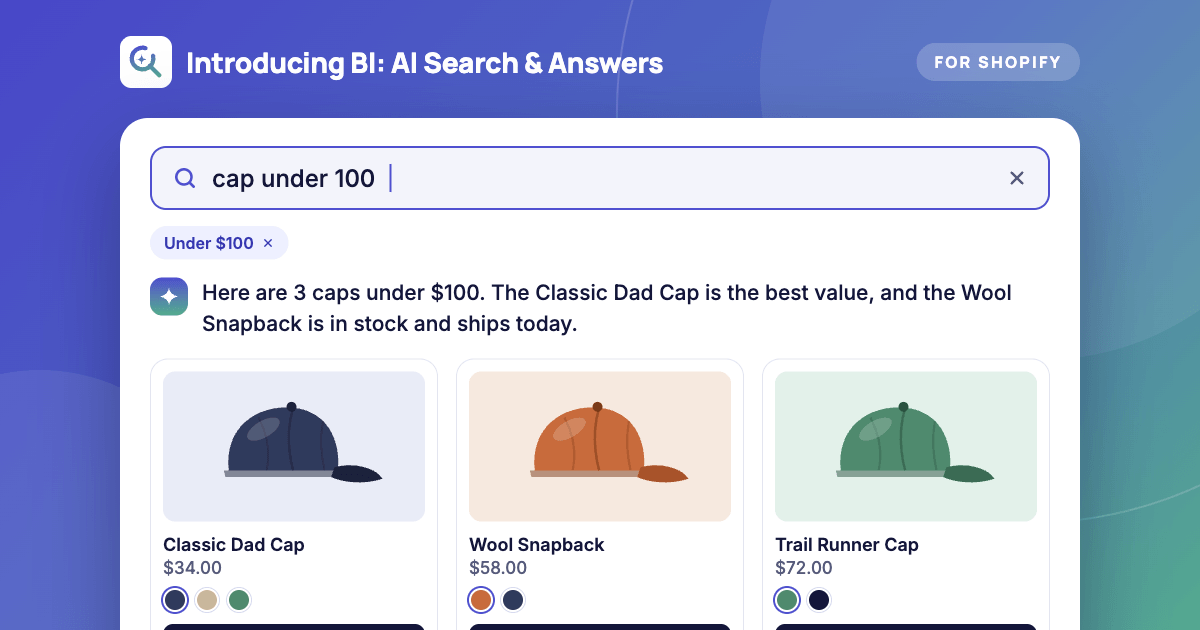
Here’s what that looks like in practice:
| Shopper types | Default search | BI: AI Search & Answers |
|---|---|---|
| ”cap under 100” | Random hats, or nothing | Caps filtered to under $100, with a price chip they can clear |
| ”does this run small?“ | 0 results | An answer pulled from your size chart |
| ”how long is shipping to Canada” | 0 results | An answer pulled from your shipping policy, with the source shown |
| ”something for sensitive skin” | Keyword roulette | 1 to 3 real products, plus follow-up questions |
Why we built it
We build apps for Shopify merchants every day, from bundle discounts with Bideal to upsells and cross-sells with BiSell . The same pattern kept showing up in conversations:
“I spend a fortune driving traffic. Then half of those visitors search for something and leave.”
Here’s the uncomfortable math. Shoppers who use site search are usually the highest-intent visitors you have. They already know what they want. They’re just asking in the wrong format for a search engine built in 2012.
Meanwhile, every other shopping experience they use (Google, Amazon, ChatGPT) already understands plain English. Your store is the odd one out.
What it actually does
1. Understands how people really talk
Shoppers can type prices, stock needs, and full questions. “Under 50”, “over 200”, and “in stock” are recognized automatically and shown as small chips they can tap away. No more guessing the “right” keyword.
2. Answers, not just results
A short AI answer streams in above the results, recommending 1 to 3 products from your catalog. Prices and availability come from your live store data, not from the model’s imagination. If a product isn’t in your catalog, the AI can’t recommend it. Simple as that.
3. Follow-up chips keep the conversation going
After each answer, shoppers see suggested next questions (“Show me the waterproof ones”, “What about in black?”). It feels like talking to a good salesperson, and every follow-up is another step toward the cart.
4. Teach it your business with a knowledge base
Upload a PDF, DOCX, or CSV, or point it at a URL: size charts, shipping and returns policies, care guides, FAQs. The AI uses them to answer the questions that normally land in your support inbox, and shows which source it used, so you’re never wondering where an answer came from.
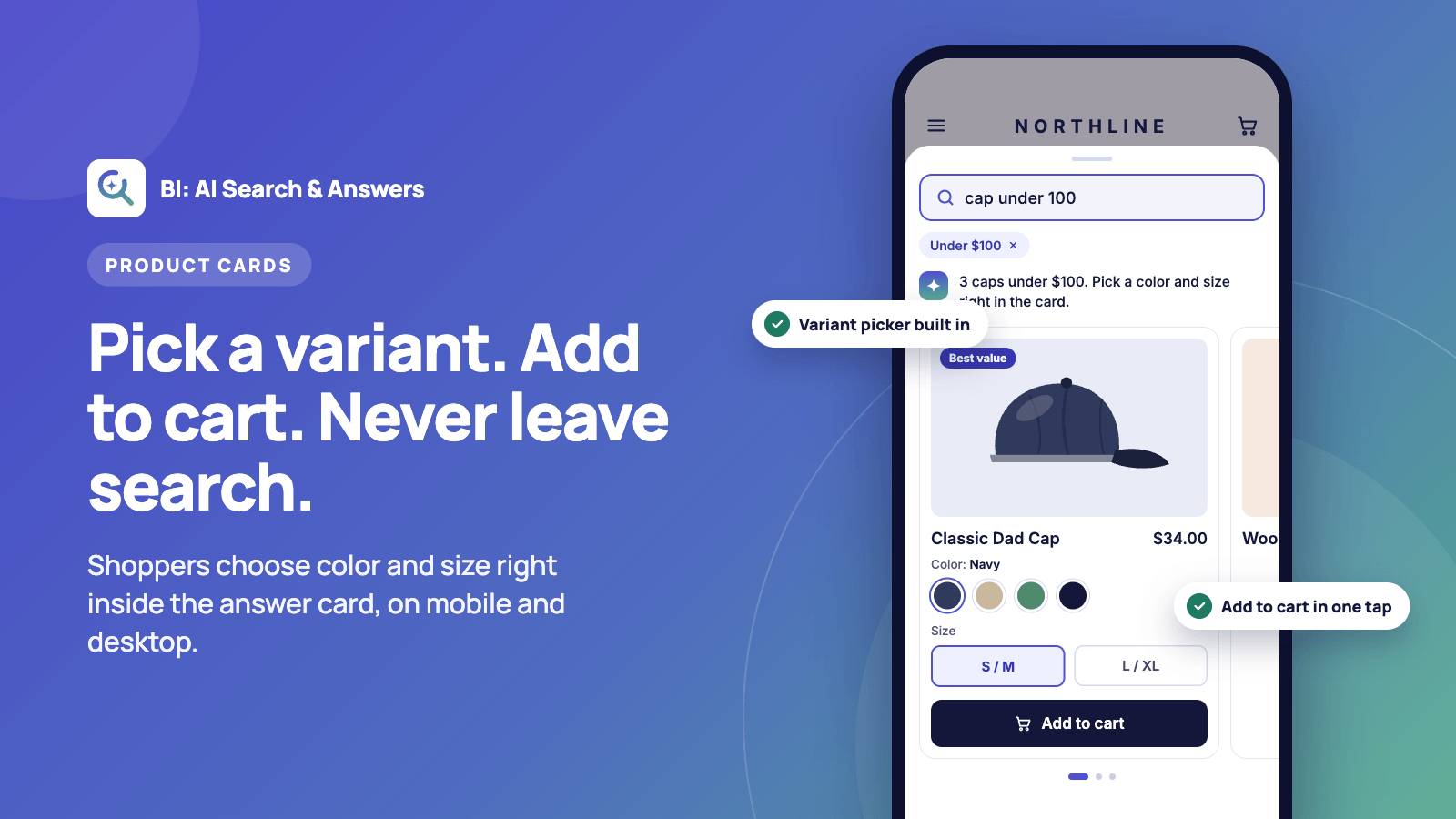
5. Add to cart without leaving the overlay
Product cards show the image, price, and a variant picker. Shoppers add to cart right there. On mobile, cards swipe sideways like a native app.
You stay in control
We know the first question every merchant asks about AI: “What if it says something weird about my brand?” Fair. So we gave you the steering wheel.
- Tone of voice: friendly, professional, playful, or concise
- Guardrails: banned words, off-limits topics, and a fallback message for anything you don’t want the AI touching
- Synonyms: teach it that “sneakers” and “trainers” mean the same thing
- Pin and hide rules: always show your bestseller for “gift”, never show clearance items for “new arrivals”
- Manual answers: spot a bad answer in the review list? Override it with your own words
- Style editor: match colors, corners, and fonts to your brand with a live preview
- Multilingual: answers come back in the shopper’s language, with prices by market
And if the AI ever hits an error or runs out of quota, regular search keeps working. Your store never goes dark.
The part we love most: finally seeing what shoppers want
Most merchants have no idea what people search for on their store. This app changes that.
The built-in insights dashboard shows you:
- Top searches, the unfiltered voice of your customers
- “Searched, not found” queries, a free product-research list of things people wanted and couldn’t find
- Clicks, add-to-carts, orders, and revenue tied to search
- A/B testing, so you can send a slice of traffic to your old search and measure the difference yourself
That zero-result list alone is worth the install. It’s demand data your competitors are ignoring.
One honest note: revenue attribution is reported from the shopper’s browser, so we label it best-effort. We’d rather give you numbers you can trust than numbers that look impressive.
Setup takes minutes, not a dev sprint
No theme code. No developer. No agency invoice.
- Install BI: AI Search & Answers from the Shopify App Store
- Flip one toggle to enable the app embed in your theme editor
- Upload your size chart, shipping, and returns info (optional but powerful)
- Test it in the built-in playground, then go live
Don’t love it? Uninstall and it cleans up after itself.
Pricing
Regular search is unlimited on every plan. You only use AI sessions when the AI answers, and one session is one browser tab, so follow-up questions in the same tab don’t cost extra. Cached and manually overridden answers don’t count at all.
| Free | Starter | Growth | Professional | |
|---|---|---|---|---|
| Price | $0 | $19/mo | $49/mo | $149/mo |
| AI sessions / month | 150 | 1,500 | 7,500 | 30,000 |
| Knowledge sources | 1 | 5 | 20 | 100 |
| Free trial | — | 7 days | 7 days | 7 days |
Every plan includes A/B testing, insights, tone and style controls, synonyms and rules, and multilingual answers. No hidden fees, no overage surprises. Annual billing saves you two months or more.
Who it’s for
- Stores with 50+ products, where browsing is hard and search matters
- Fashion, beauty, and home brands, where “does it fit / suit / match?” decides the sale
- Anyone drowning in repetitive support questions about sizing, shipping, and returns
- Merchants paying for traffic, because every visitor who bounces from a dead-end search is wasted ad spend
Pair it with the rest of your stack
Better search gets shoppers to the right product. Then the rest of the funnel takes over:
- Use Bideal to turn that single item into a bundle with progress bars and free gifts
- Use BiSell UpSell & Cross Sell to suggest the perfect add-on right after they pick a product
- Use Verified Fulfillment if you deliver locally and want proof it arrived
Find, buy, grow, deliver. That’s the whole loop.
Try it on your store today
Your shoppers are already telling you what they want. They’re typing it into a search bar that can’t understand them. Give that search bar a brain.
Start with the Free plan, no credit card needed →
Questions, feedback, or a feature you’d love to see? Reach out any time at bify.app . We read every message.
#Shopify #ShopifyApps #AISearch #EcommerceAI #ShopifyMerchants #ProductDiscovery #ConversionRateOptimization #SiteSearch #ShopifyTips #Ecommerce