No More "It Never Arrived": Introducing Verified Fulfillment
It’s launch day, and we couldn’t be more excited. 🚀
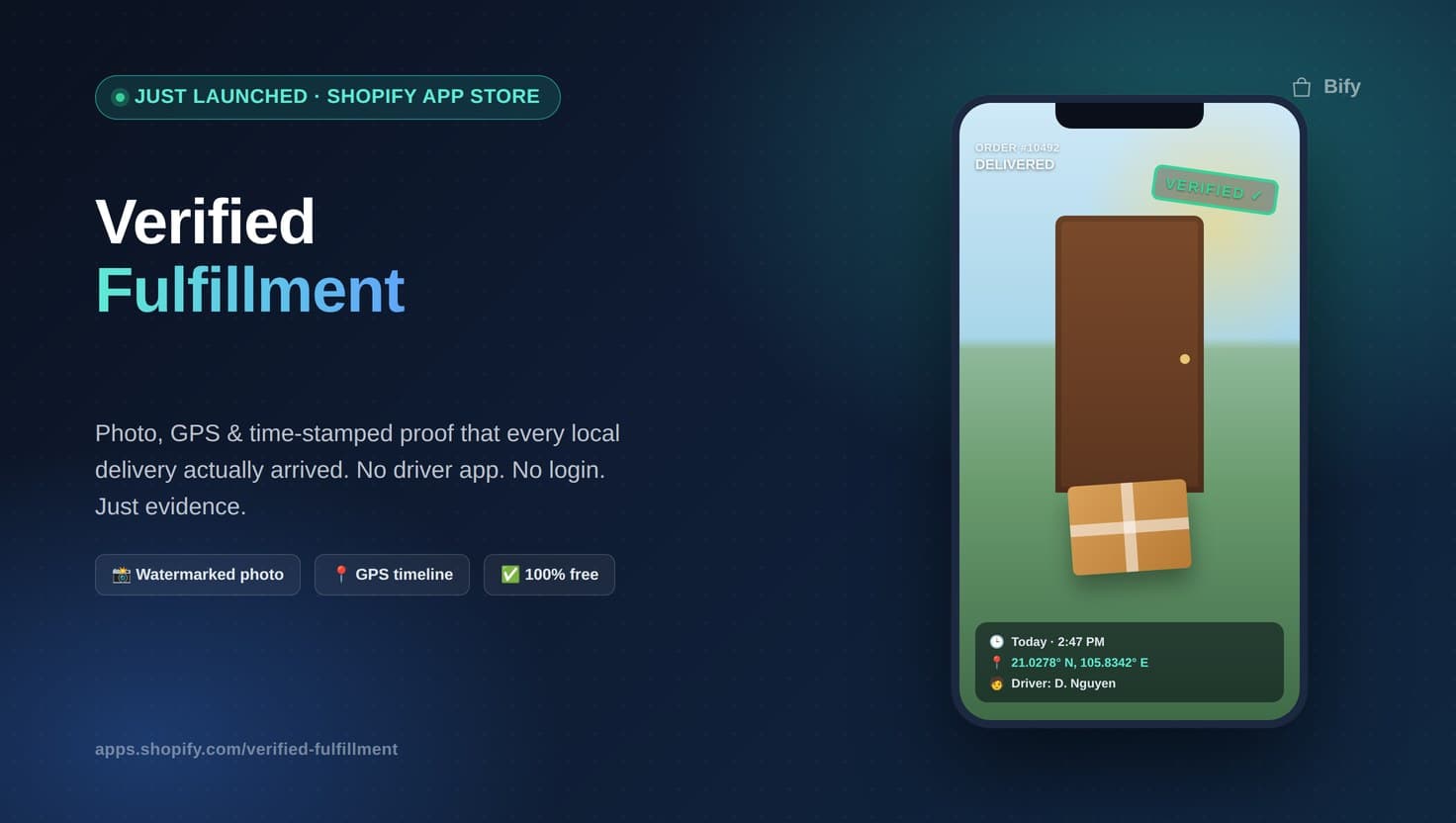
Today we’re officially shipping Verified Fulfillment on the Shopify App Store — a brand-new app built for one very specific, very painful problem: proving an order actually got delivered.
If you run local delivery out of your Shopify store — meal kits, flowers, furniture, groceries, bakery boxes, anything that leaves your warehouse in the hands of a driver instead of a national carrier — you already know the dread of this message landing in your inbox:
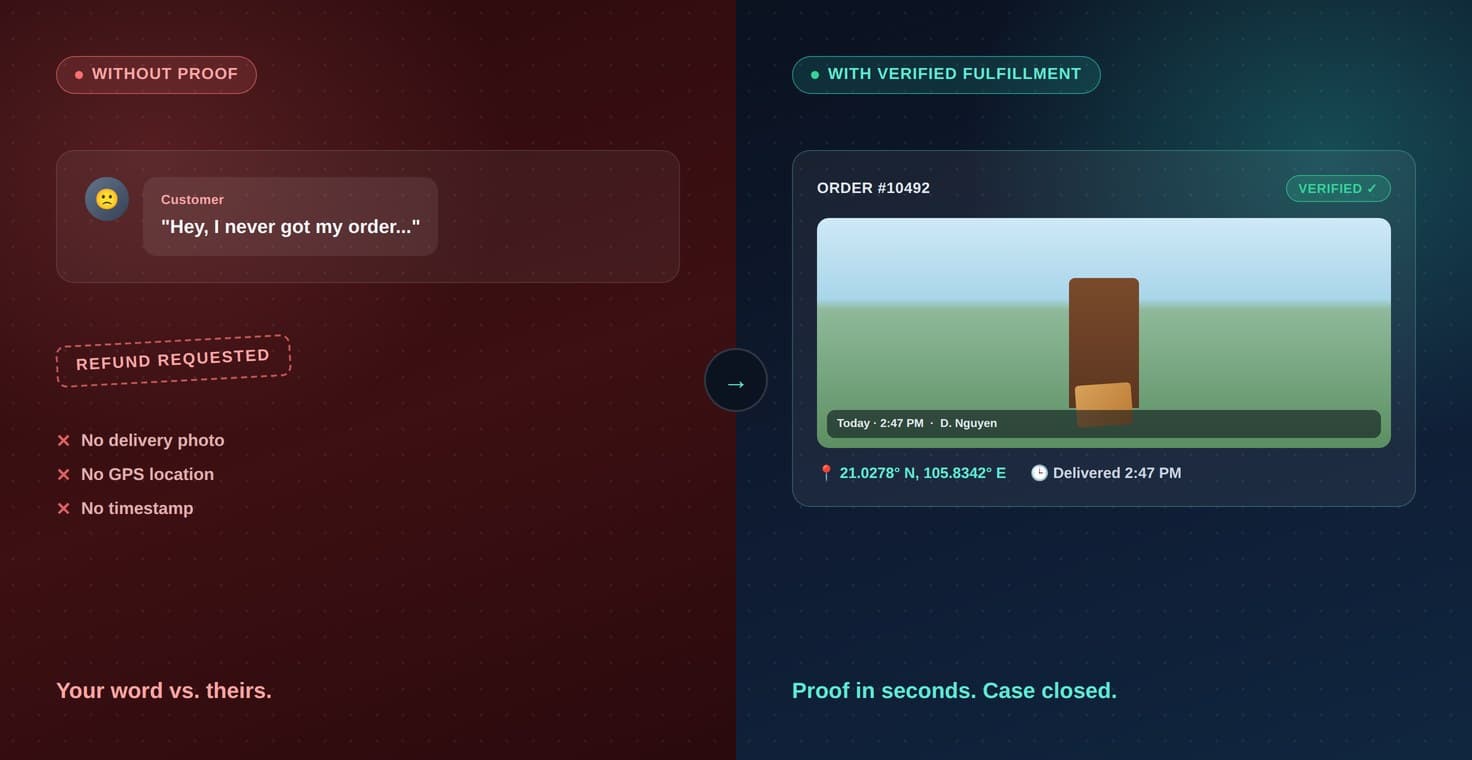
“Hey, I never got my order.”
No tracking number. No signature. No photo. Just your word against theirs, and a refund you probably have to eat either way. Verified Fulfillment ends that.
The problem with local delivery
National carriers like UPS or FedEx come with tracking, scans, and delivery confirmation baked in. Local and last-mile delivery doesn’t. The moment you hand an order to your own driver, a gig courier, or a small delivery partner, you lose all visibility — until a customer disputes it, and suddenly you have nothing to point to.
That gap costs real money: chargebacks you can’t fight, refunds you shouldn’t have to give, and hours spent going back and forth trying to reconstruct “what actually happened” from memory and text messages.
Meet Verified Fulfillment
Verified Fulfillment gives every one of your local deliveries a paper trail — automatically, and without asking your drivers to install anything.
Here’s the magic: your driver never needs an app, an account, or a login. You send them a secure link. They open it in their phone’s browser, snap a photo of the delivered order, and that’s it. Behind the scenes, the app captures everything that turns “trust me” into proof:
- A watermarked photo — stamped with the order number, delivery status, local time, and the driver’s name, right on the image itself
- GPS coordinates, plotted directly onto the order’s delivery timeline
- An immutable timeline — once an entry is logged, it can’t be quietly edited or overwritten later
- No driver app required — just a link that opens in any mobile browser
- Exportable reports — pull a single order’s proof or export a whole date range as CSV for your records or a payment dispute
- Shopify Flow support — plug delivery confirmation into the automations you already run
How it works
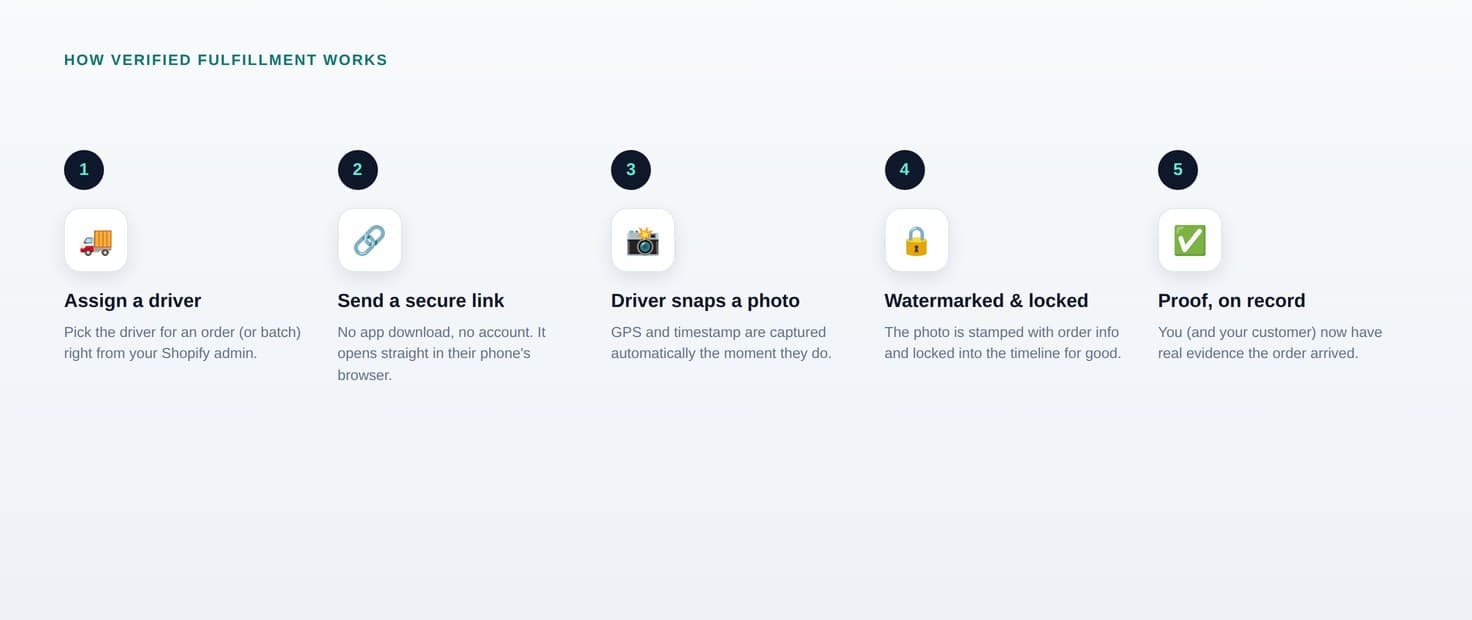
- Assign a driver to an order (or a batch of orders) right from your Shopify admin.
- Verified Fulfillment sends a secure link — no app download, no account creation.
- The driver opens the link on delivery and takes a photo. GPS and timestamp are captured automatically in the background.
- The photo is watermarked and locked into that order’s delivery timeline — permanently.
- You (and your customer, if you choose) now have real proof the order arrived — where, when, and in whose hands.
Built for real disputes, not just peace of mind
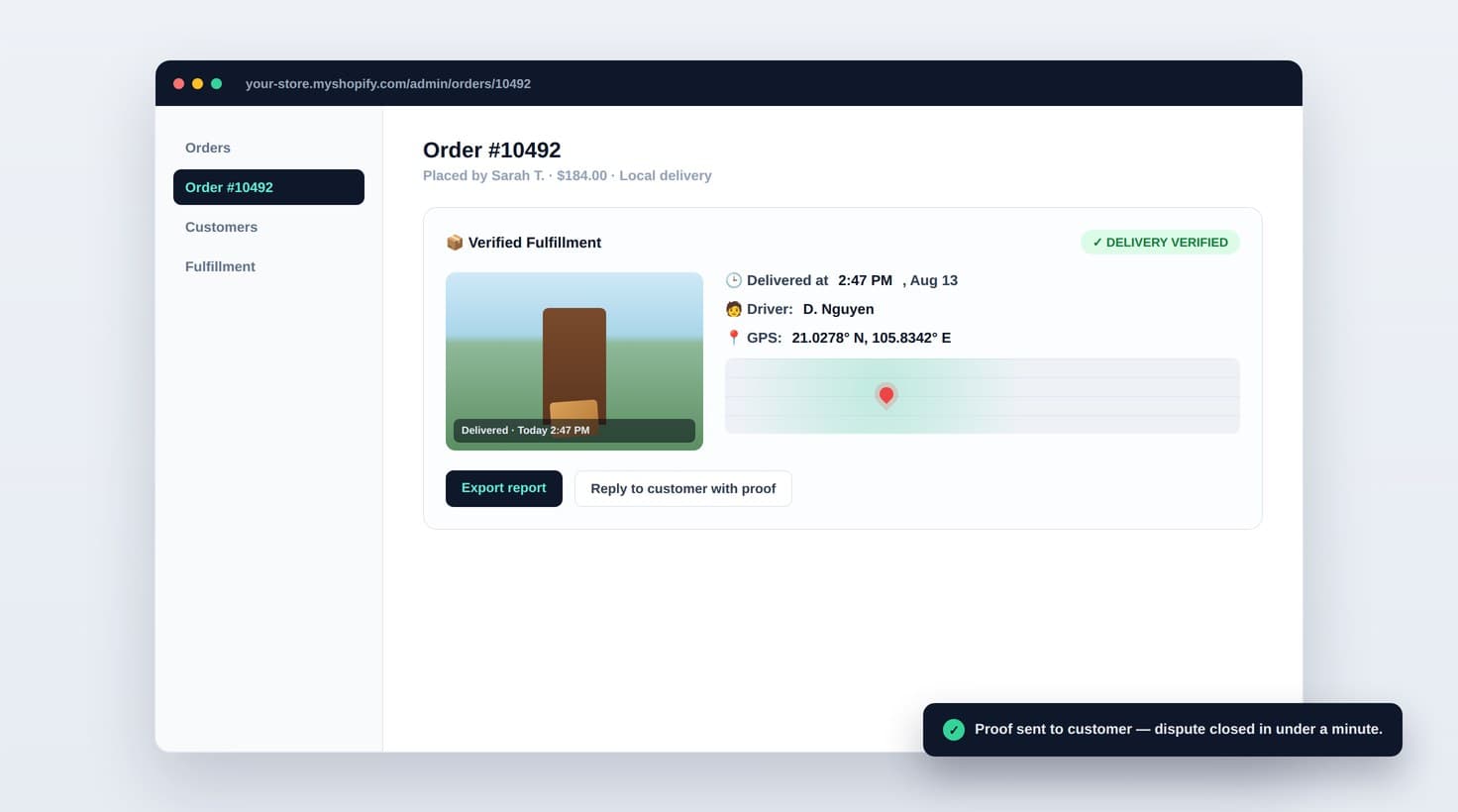
Picture this: a customer emails claiming their $180 flower arrangement never showed up. Instead of a scramble, you open the order in Shopify and see a Verified Fulfillment timeline: a timestamped photo of the bouquet on their doorstep, GPS coordinates matching their address, and the driver’s name — all logged the moment it happened, not reconstructed after the fact. That’s the difference between an argument and a five-second reply with evidence attached.
Who it’s for
If your store fulfills any orders through your own drivers or local couriers rather than a national carrier, this was built for you:
- Florists and gift shops with same-day local delivery
- Meal kit, grocery, and bakery businesses
- Furniture and appliance stores using their own delivery crews
- Any merchant who’s ever had a “proof of delivery” argument with a customer — or a payment processor
Getting started
Verified Fulfillment is free, it takes minutes to set up, and there’s no driver onboarding friction because there’s nothing for your drivers to install. To get going:
- Install Verified Fulfillment from the Shopify App Store →
- Assign your first driver to an order
- Send the delivery link
- Watch the proof land automatically in your order timeline
We built Verified Fulfillment because we kept hearing the same story from local-delivery merchants: disputes they had no way to win, because they had no way to prove what actually happened. Now you do.
Try Verified Fulfillment free →
Got questions, feedback, or a feature you’d love to see? Reach out any time at bify.app — we’d love to hear from you.